 AppBrisk
If you use Manico on a Mac to reach familiar apps with assigned keys, AppBrisk lets you manually build a similar set of app bindings on Windows. AppBrisk supports Windows 10/11 x64 and provides app launching, focusing, Toggle show/hide behavior, and same-app window cycling.
Is Manico available for Windows?
As checked on November 17, 2026, Manico's official website and its App Store listing describe a macOS product and do not list an official Windows download. AppBrisk is independent Windows software and is not affiliated with or partnered with Manico.
Which habits carry over?
This table maps documented Manico workflows to AppBrisk setup choices on Windows.
| Habit | Manico on macOS | AppBrisk on Windows |
|---|---|---|
| Assign a key combination to a frequent app | Custom mode supports app and shortcut assignments. | Create a global app binding and choose Toggle or Always activate. |
| Start with pinned apps | Dock mode maps apps in the Dock. | Select candidates from the taskbar, then save them as bindings. |
| Choose from open apps | Switcher mode maps running apps. | Select running-app candidates. Saved bindings remain independent; the candidate list does not dynamically replace your configuration. |
Set up your first app hotkey on Windows
- Install AppBrisk from the official download link on this page and open its main window.
- Choose Bind app and search for an installed Windows app, or select candidates from the taskbar or running-app list.
- Record an unused combination, such as Alt + N. This is a custom example, not a default binding. You can choose a different combination from the one you used on your Mac.
- Choose Always activate or Toggle, save the binding, and make sure both global hotkeys and that binding are enabled.
- Press the combination from another app. AppBrisk launches the target when closed or focuses a valid window when running.
Hands-on example: bind Notepad to Alt + N
These frames show actual operation of AppBrisk 0.25.1 on Windows, with a mostly English interface. Alt + N is a custom example. Select an image to view it at full size.
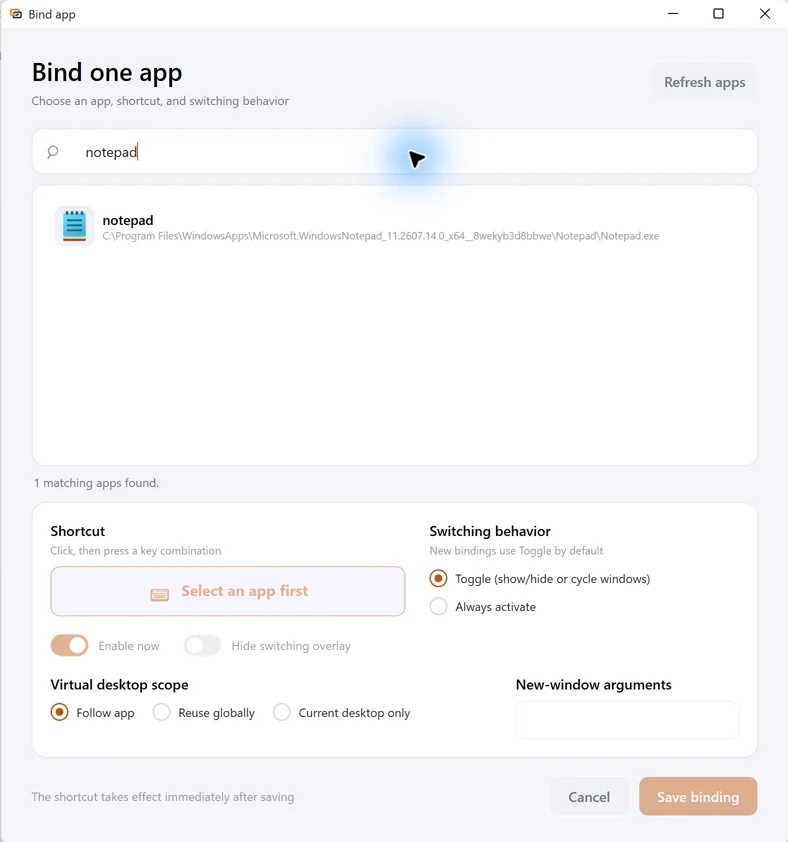
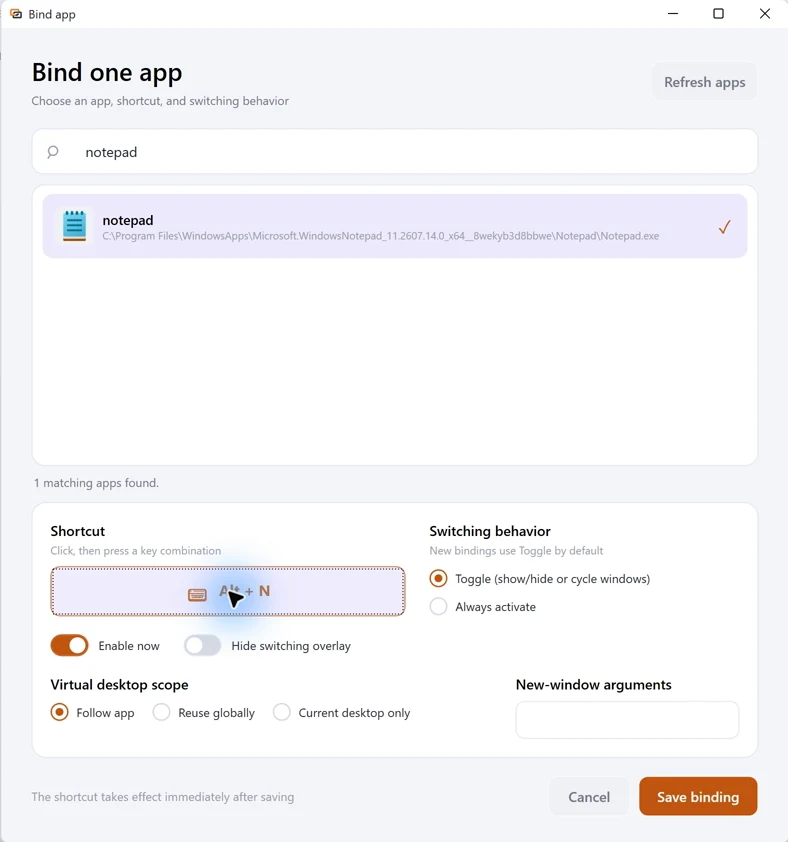
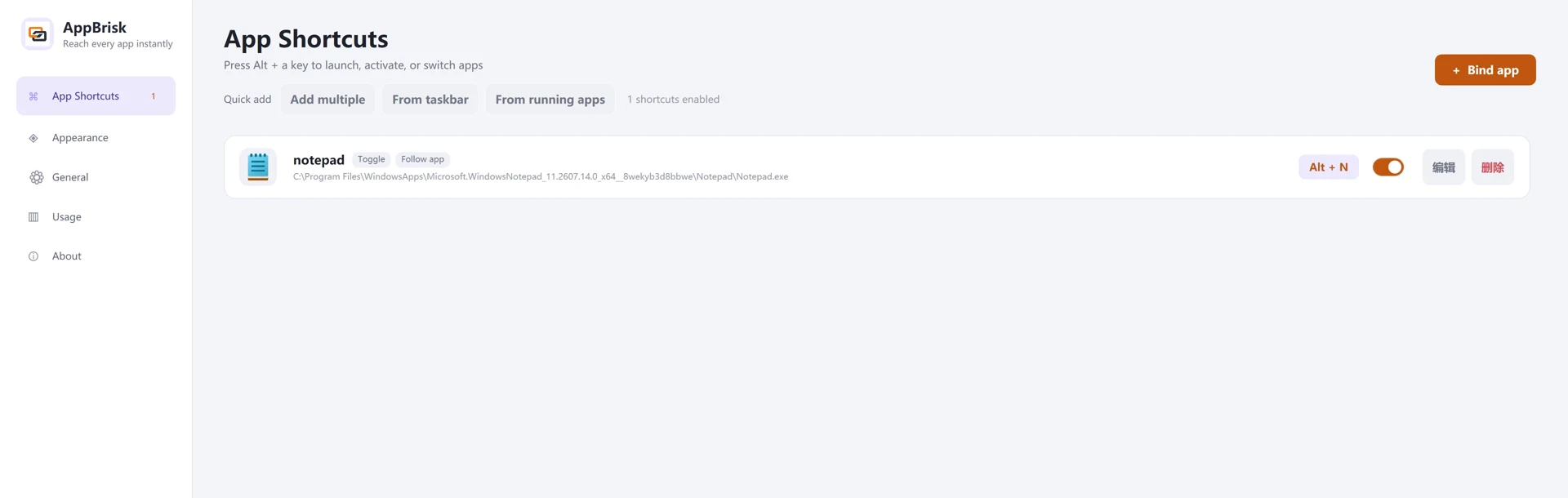
To see the resulting window changes, watch the real operation demo, including focusing, advancing through a window group, hiding and same-app window cycling.
Select the Windows equivalent of each app and recreate your shortcuts manually. AppBrisk does not import Manico configuration, and the products' licenses are separate. Choose another combination if a shortcut conflicts with an existing one. Windows privilege boundaries can affect target apps running as administrator.
Show and hide a window with the same shortcut
Start with an app that has one regular main window. With Toggle enabled, its app hotkey focuses a background window, hides a foreground window, and restores it on the next press. Hiding preserves position, size and maximized state. A target that was already minimized may be restored when activated.
Choose Always activate if you want focusing without hiding. App bindings for multi-window apps follow recent-use ordering and grouping rules; their sequence differs from this single-window example. Read the show/hide guide for the limits.
Switch between windows of the same app
AppBrisk also reserves Alt + backtick (`) to cycle valid windows of the foreground application. It needs no per-app binding, does not hide windows at the end of a cycle, and defaults to the current virtual desktop. With only one valid window, it does nothing; it does not launch an app or restore hidden windows.
This is separate from an app binding's Toggle behavior. See the same-app window guide for setup and desktop scope.
How long is AppBrisk free?
A free 14-day full-feature trial starts automatically on first launch, with no sign-in or claim required. After expiry, app hotkeys and same-app window cycling require a valid license. Settings, configuration export, help and activation remain available. Reinstalling does not reset the trial.
Continue setting up
Sources and review date
Maintained by AppBrisk and checked on . Manico platform and mode information comes from its official website and official App Store listing; third-party features can change. This guide does not report performance benchmarks or claim complete feature compatibility.